You bought a solar-powered wireless camera, mounted it on the fence post, and figured you were done—no electrician, no monthly bill, no hassle. Then you checked the app three weeks later and found the battery was at 4%, the footage was full of gaps, and the “continuous recording” you were counting on hadn’t actually been running for days. Sound familiar? You’re not alone, and the problem usually isn’t the camera itself. It’s that solar camera marketing is built around the best-case scenario—a sunny July day in Arizona—while your actual deployment probably involves shade, cold nights, heavy motion zones, or all three.
This guide is for the buyer who already knows the basic pitch: solar-powered wireless cameras (cameras that charge from a small attached or nearby solar panel instead of a wall outlet) with local storage and no mandatory cloud subscription. You understand the appeal. What you need now is the honest map of where these systems succeed, where they quietly fail, and how to read the specs in a way that matches your actual site conditions before you’re locked into a procurement decision.
The Solar Math Nobody Puts on the Box
Every solar camera listing leads with panel wattage and battery capacity. Neither number tells you what you actually need to know, which is: will this camera maintain enough charge to record reliably at my specific site, in my specific season, with my specific motion load?
Here’s the math that matters:
By the numbers:
- A typical solar camera panel: 2–6 watts peak output under direct, perpendicular sunlight
- Realistic daily energy harvest in a northern U.S. winter (e.g., Chicago, December): roughly 1–2 peak sun hours vs. 5–6 in summer
- A camera actively recording 1080p video: approximately 1–3 watts of draw; in standby, 0.1–0.5 watts
- Net result at a north-facing fence post in January: the panel may deliver 2–4 watt-hours per day while the camera needs 6–10 to sustain meaningful recording
IPVM’s published analysis of solar camera performance in winter conditions found that north-facing or partially shaded installations frequently saw panels delivering less than 30% of rated output, with cameras falling into aggressive power-saving modes—reducing resolution, frame rate, and motion sensitivity—to compensate. The spec sheet doesn’t model that tradeoff. You have to.
What to actually look for on the spec sheet:
- Battery capacity in watt-hours, not just milliamp-hours. Convert: mAh × voltage ÷ 1000 = Wh. A 10,000 mAh battery at 3.7V is only 37 Wh—roughly one to two days of reserve in low-light conditions.
- Panel wattage vs. camera consumption delta. You want a meaningful surplus during the charging window, not break-even.
- Low-power modes and what they disable. Some cameras cut motion zone processing, drop to 720p, or increase the PIR (passive infrared sensor, the heat-detecting trigger that wakes the camera) polling interval from 1 second to 5+ seconds. A 5-second PIR interval means a fast-moving person can cross your frame without triggering a recording.
Wireless Connectivity: The Hidden Bottleneck
“Wireless” on a solar camera usually means Wi-Fi—specifically 2.4 GHz 802.11n in most mid-range units, with some newer devices supporting 5 GHz. The frequency matters because solar cameras are often mounted exactly where Wi-Fi signals go to die: garage corners, fence posts at property edges, barn exteriors, parking lot poles.
A camera 80 feet from your router with two exterior walls in between is a fundamentally different installation than the spec’s implied “within Wi-Fi range.” Reviewers at Tom’s Guide consistently note that Wi-Fi-dependent solar cameras are the most common source of post-install complaints, not battery life.
Your pre-purchase connectivity checklist:
- Walk the mount point with a Wi-Fi analyzer app (not the camera, just your phone) and check signal strength in dBm. You want -65 dBm or better. Below -75 dBm, expect dropped recordings and app timeouts.
- Check whether the camera supports a Wi-Fi extender or mesh node as its access point. Some cameras authenticate to a specific router MAC address and behave poorly with mesh nodes or extenders as the upstream hop.
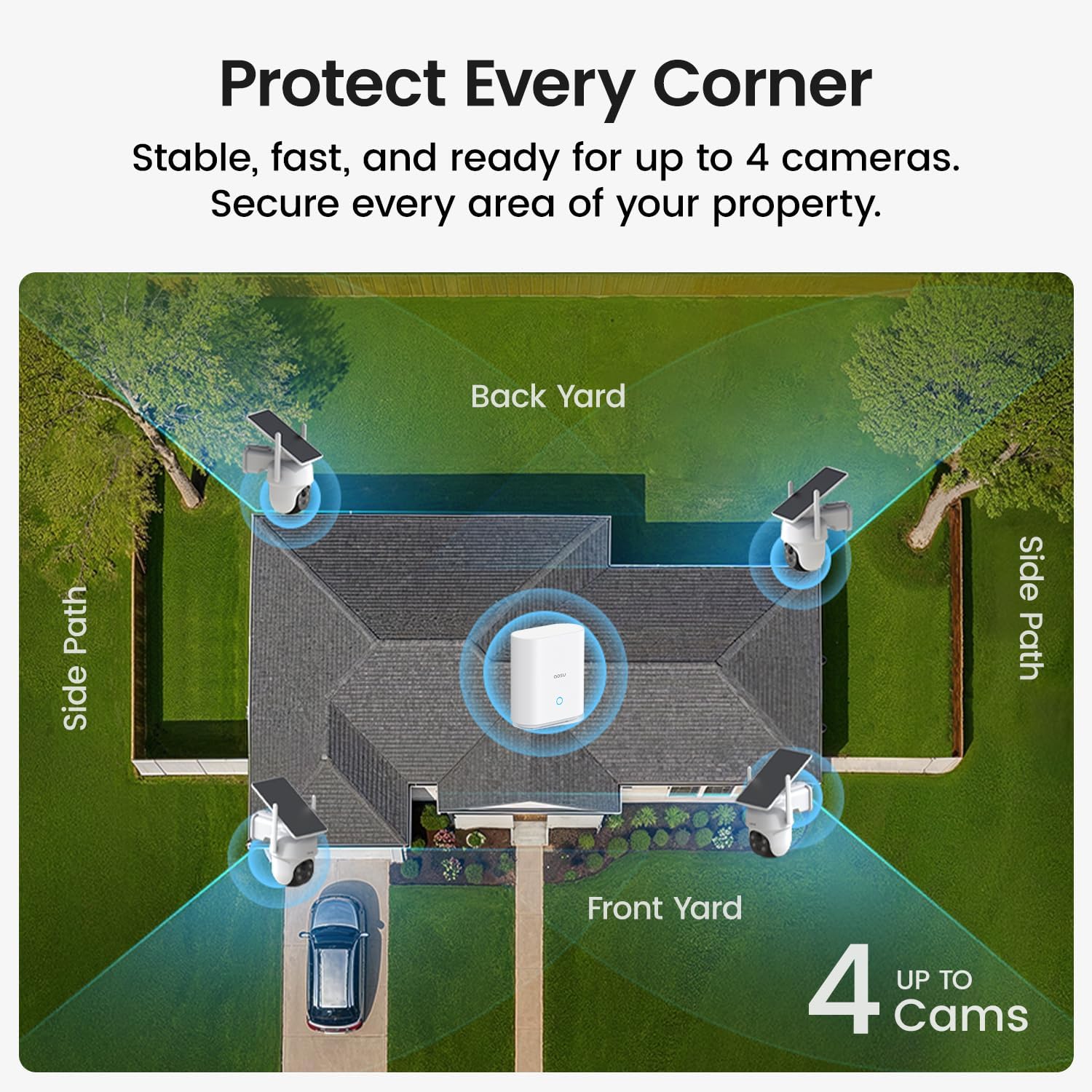
- Ask whether the camera uses a proprietary hub. Several brands—Reolink’s Argus series with the optional solar panel add-on, for example—offer a dedicated base station that handles the heavy Wi-Fi lifting and gives the camera a short-range proprietary radio link instead. This is actually a meaningful architectural advantage for edge deployments. PCMag’s 2025 wireless camera roundup called out hub-based architectures as “significantly more reliable at range” compared to direct Wi-Fi models in the same product category.
- For commercial or multi-camera deployments: cellular-connected solar cameras (4G LTE) eliminate the Wi-Fi dependency entirely but add SIM card costs. Budget $10–$25/month per camera for data, which breaks the “no monthly fee” premise if you have more than one or two units. That tradeoff is worth naming clearly in any proposal you’re preparing.
Local Storage: What “No Subscription” Actually Means in Practice
“No subscription required” means local storage is the default recording path. In practice, that means a microSD card inside the camera housing—which is weathered, occasionally power-cycled hard by battery depletion, and sometimes physically accessible to whoever is walking past your fence post.
The microSD failure modes nobody warns you about:
- Write-cycle fatigue. Continuous loop recording hammers the card. Consumer-grade microSD cards rated for standard use fail faster in this application. Operators in long-run installation reviews consistently recommend surveillance-class or high-endurance cards (Western Digital Purple, Samsung PRO Endurance) over whatever ships in the box.
- FAT32 file system corruption on power loss. When a solar camera’s battery depletes and the camera shuts down mid-write, the file system can corrupt. The next boot may format the card automatically, silently deleting your footage. This is not a rare edge case—IPVM’s field documentation of solar camera deployments flagged it as a routine failure mode in winter deployments where overnight battery drain is common.
- Retrieving footage. Most solar cameras require you to either pull the card physically or use the vendor’s app to download clips over Wi-Fi. There’s no NVR (Network Video Recorder—a dedicated device that aggregates footage from multiple cameras) receiving the stream. If the camera is offline when the event happens, that footage may simply not exist.
- Storage capacity math. A 128 GB card at 1080p/15fps with motion-only recording typically stores 7–21 days of event clips depending on activity level. Continuous recording cuts that to 2–4 days before overwrite begins. Know which mode you’re actually deploying.
The hybrid architecture worth considering: Several integrators are pairing solar cameras with a local NVR or NAS (Network Attached Storage—a dedicated file server on your network) that pulls an RTSP stream (a standard protocol for streaming camera video over a network) from the camera when it’s online. This gives you cloud-independent local archiving without ongoing fees, but requires the camera to maintain a stable enough Wi-Fi connection to stream continuously—which loops you back to the connectivity section above. It’s a meaningful upgrade path for prosumer deployments but adds configuration complexity that entry-level buyers often underestimate.
What the Vendor Ecosystem Means for Your Long-Term Cost
The “no monthly fee” framing is accurate but incomplete. The real long-term cost question is: what happens when something breaks or the vendor changes its terms?
SecuritySales & Integration’s 2024 analysis of battery and solar camera deployments noted that several camera brands have introduced cloud storage requirements for accessing AI-processed features (person detection, vehicle detection, facial recognition zone filtering) that previously worked locally. Cameras purchased under a “no subscription” premise began requiring a subscription to access features that were part of the original purchase decision.
Questions to ask before specifying a platform:
- Does AI motion filtering (person vs. animal vs. vehicle classification) run on the camera itself (edge processing) or in the vendor’s cloud?
- If the vendor’s cloud goes down or the company is acquired, do core local recording functions continue?
- What is the licensing model for adding cameras to the same app or NVR? Some platforms charge per-camera for expanded local storage tiers even without a cloud subscription.
- Is the RTSP stream exposed, allowing third-party VMS integration? This is the single most important feature for any deployment that may scale or migrate platforms.
CNET’s 2025 no-subscription camera guide flagged Reolink and Amcrest as consistently offering open RTSP access, while several consumer-focused brands deliberately obscure or disable it to maintain app ecosystem lock-in.
Decision Framework: If X, Then Y
You now have the real variables. Here’s how to map them to a procurement decision:
If your mount point gets fewer than 4 peak sun hours daily (northern latitudes, shaded, or winter-primary use): Prioritize battery capacity over panel wattage. Look for cameras with at least 60 Wh of usable battery, a dedicated solar panel that can be independently angled (not fixed-to-camera designs), and a documented low-power mode that preserves PIR sensitivity even when throttling video resolution. Budget for a high-endurance microSD card. Consider a secondary wired camera for your highest-priority zone.
If the mount point is more than 60 feet from your nearest strong Wi-Fi node: Either run a dedicated mesh node or outdoor access point to within 30 feet of the camera, choose a hub-based proprietary architecture, or evaluate cellular-connected units and accept the SIM cost. Do not assume the camera will maintain reliable connectivity at marginal signal—the spec’s “up to 300-foot range” is line-of-sight, indoors, and with zero interference.
If you’re speccing more than four units for a commercial site: The no-subscription math changes. Four cameras × $0/month in cloud fees sounds like savings, but four cameras × $15/month on a managed cloud platform buys you redundant storage, managed firmware updates, and professional-grade event search. Run the five-year total cost of ownership comparison before defaulting to local-only. For sites where footage may be needed for litigation or insurance, the evidentiary reliability of a managed platform often justifies the per-camera fee.
If local storage integrity and footage chain of custody matter: Add an NVR to the architecture. Accept the Wi-Fi complexity. A solar camera writing only to a microSD card in an outdoor housing is not an enterprise-grade evidence source, regardless of brand reputation.
If the vendor’s app is the only access method: That’s a risk, not a feature. Prioritize platforms that expose RTSP, integrate with Blue Iris or Milestone, or at minimum allow bulk footage export without per-clip manual download.
The solar wireless promise is real—lower install cost, no trenching, no monthly contract—but it comes with a performance envelope that the spec sheet is optimistically drawn around. Match the envelope to your actual site conditions first, and the technology delivers. Skip that step, and you’ll be remounting cameras in February wondering why the battery died.